




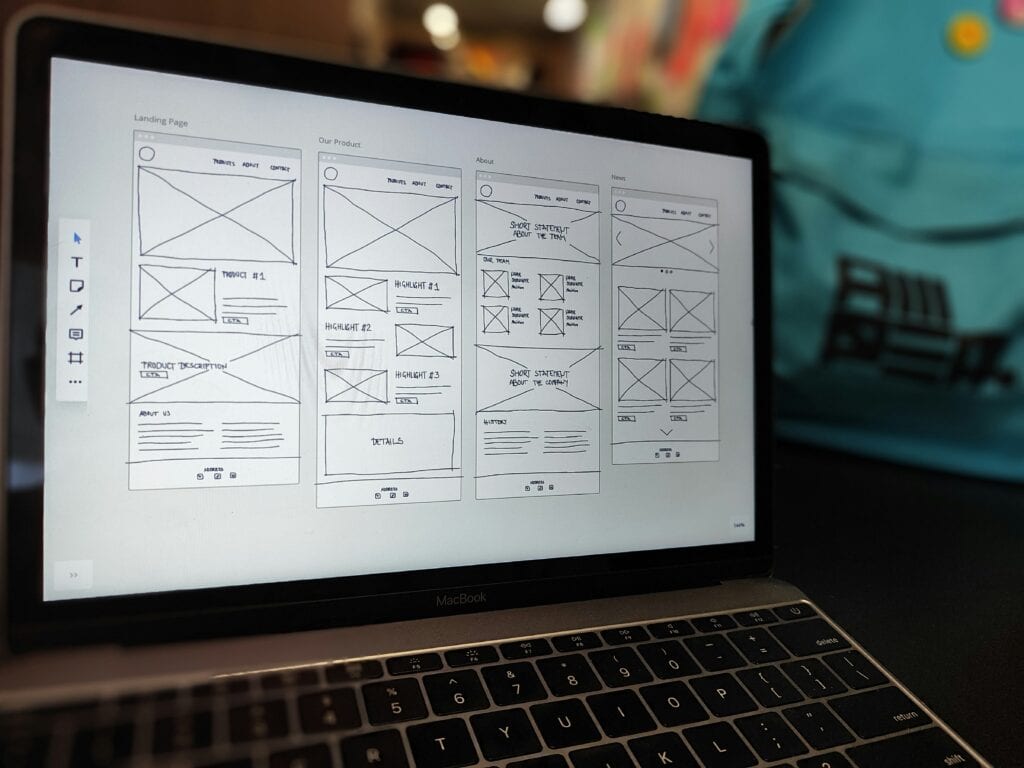
Website Preview: https://preview.tangly1024.com/
1. NotionNext Website Setup Guide: Advantages, Process, and Key Considerations
✅ Advantages of NotionNext
- Save moneyCompletely free, open-source, and zero cost.
- Super simpleWhenever you write an article in Notion, it will automatically sync.
- Quickly go liveDeploying on Vercel is a breeze.
- Focus on creationFocus on creating content without distractions from managing the platform or maintenance.
- Looks goodThe templates and themes are already designed, providing ready-made professional blogs.
⚠️ Limitations and Risks of NotionNext
- Customization is limitedA major overhaul would be troublesome.
- Relying on the Notion APIIf the Notion API experiences issues or changes, the website may be affected.
- Learning ThresholdAlthough simple, it still requires some basic knowledge of GitHub/Vercel, otherwise you might get stuck.
- SEO isn't necessarily good.Compared to traditional professional WordPress website building tools, it offers fewer SEO control options.
- Single-functionSuitable for simple text input. If you require complex interactions like shopping carts or membership systems, it is not suitable.
Overall, NotionNext offers advantages in cost, ease of use, and intuitive operation, making it particularly suitable for those who simply need a basic website that can go live. While it has limitations in advanced features and high-level customization, it remains the most suitable choice for my current needs.
2. Preparations
- When applying for a Notion account, we highly recommend using your school email address to sign up. This grants you unlimited pages for creating and managing content.
- Register a GitHub account
- Sign up for a Vercel account (we recommend logging in directly with GitHub)
3. Website Setup Process - Template > Code > Deployment
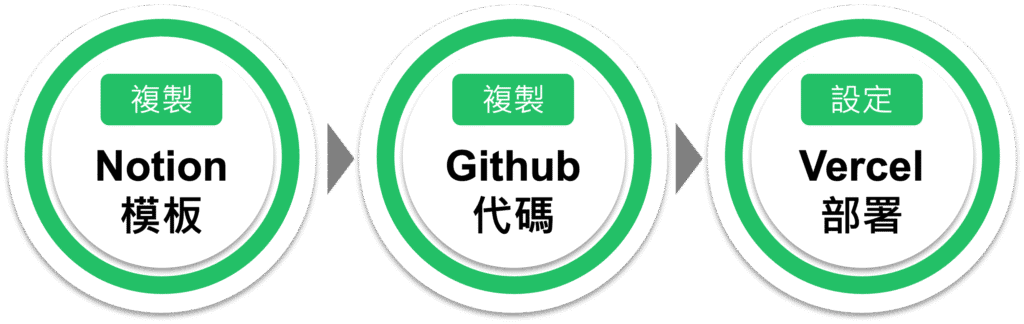
Deploying a site requires just three major steps:
- Copy tangly1024's Notion template
- Clone tangly1024's GitHub source code
- Deploying in Vercel
STEP 1: Copy the Notion template
- After logging into your Notion account, copy the template below.
- Click "Duplicate" in the upper-right corner, select the workspace where you want to save it, and wait for it to be copied over.
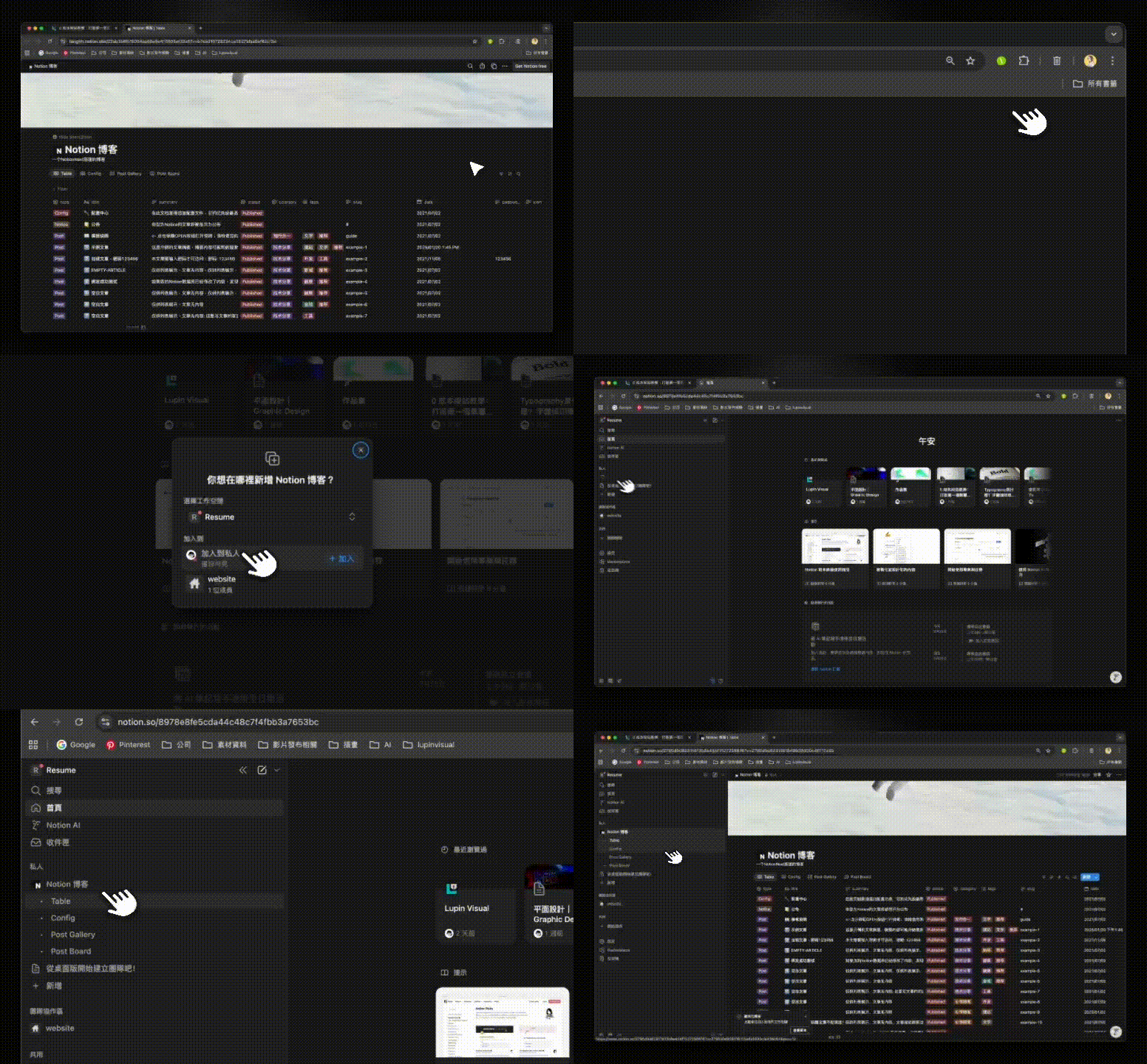 How to Duplicate NotionNext Templates in Notion
 - Publish the webpage and make it public. A 32-character page ID will appear afterward; save it for later.
 Notion page IDs consist of 32 characters.
STEP:2 Copy the original GitHub code
- Click the link below to copy it. It is not recommended to rename it. Do not change the project name to avoid configuration errors later.
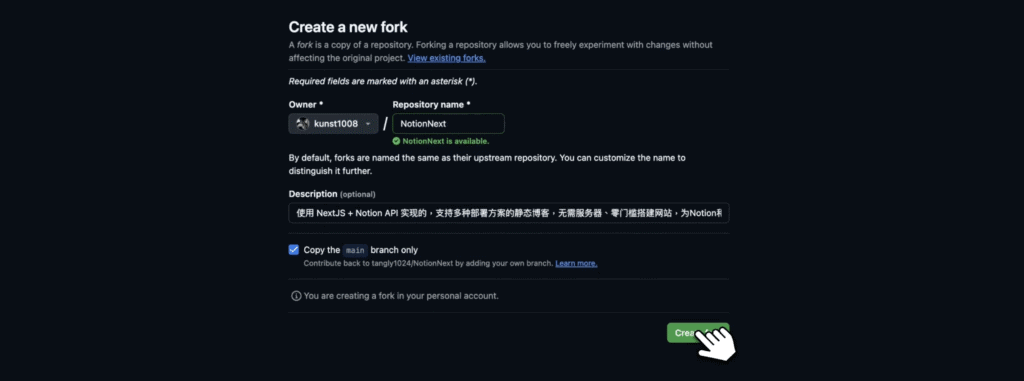
Simply fork the GitHub project.
STEP 3: Create a Vercel Project
- Sign up and log in with your GitHub account
- When importing a Git repository, select NotionNext.
- Click Environment Variables, then add a new property. NOTION_PAGE_ID Enter the 32-character page ID in the Notion field.
- Click Deploy and wait for deployment.
STEP:4 Page Completed
- Click on DOMAINS to view your website!
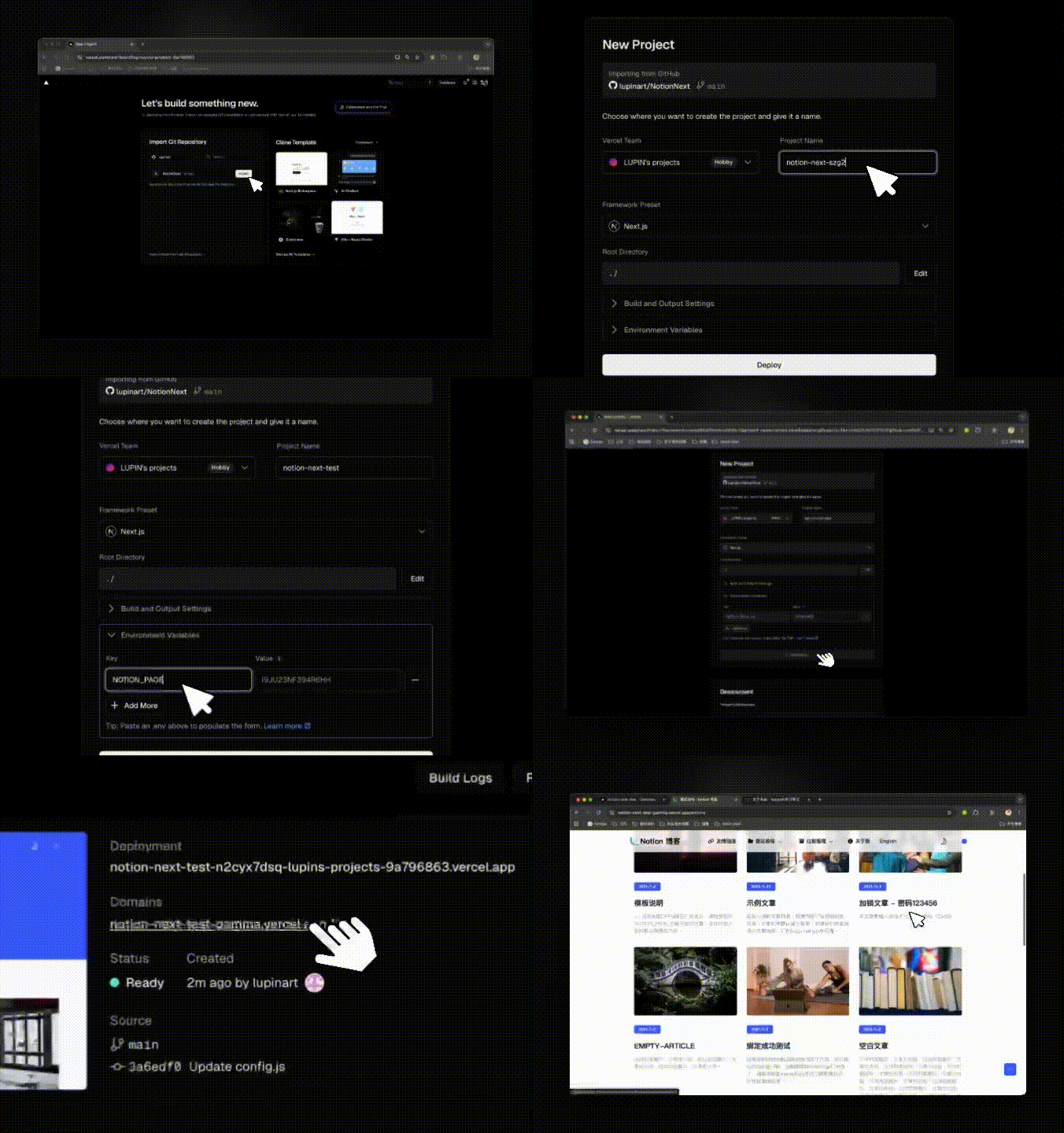
Import your GitHub project into Vercel, copy the Notion page ID into Vercel's environment variable settings, and deploy your NotionNext website.
Recommendation
Honestly, setting up a website with NotionNext was way easier than I expected. Just write articles in Notion, and it automatically updates the site. No need to mess with GitHub code—just let it run. For a more professional look, you can connect your own domain to make it feel more official. When writing articles, add a cover image and title for a nicer shareable look.
Frequently Asked Questions
Q1: What is NotionNext? How is it different from Notion?
NotionNext is an open-source project that enables you to quickly build a personal website using Notion as your writing platform, then deploy it via GitHub + Vercel.
Q2: Do I need to write code to build a website with NotionNext?
No coding required—just basic account registration and deployment skills. Familiarity with GitHub is a plus, but you can complete the task by following the tutorial.
Q3: Can websites built with NotionNext be optimized for SEO?
Basic SEO settings can be configured. While offering slightly less flexibility than website builders like WordPress, NotionNext supports sitemaps, custom meta titles, and descriptions. With proper configuration, Google can still effectively index content.
This article referenceshttps://docs.tangly1024.com/article/vercel-deploy-notion-next